 Free on the App Store
Volume Shader for iOS
Native GPU test & checkup
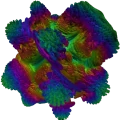
The viral Volume Shader BM test, built in Swift, SwiftUI, and Metal for iPhone and iPad. Drag, pinch, and pan while the Mandelbulb ray-marches on the GPU.
- No account needed
- Banner and native ads
- Optional anonymous score sharing

The same viral test, native on Apple devices
Millions of people already know Volume Shader BM in the browser. The iOS app keeps that identity and runs the Mandelbulb in Metal, so the GPU work is native — not a WKWebView wrapper.
- Native Metal renderer, not WKWebView
- Drag to rotate, pinch to zoom, and pan
- Complexity from Simple to Extreme
- Use Standard + 30 seconds for a comparable score
- Explore does not save a score
- Requires iOS / iPadOS 18 or later
What's inside the app
One download. GPU first, then CPU, memory, device specs, and a short hardware checkup on the same iPhone or iPad.
Test
Volume Shader BM at Simple through Extreme, plus timed CPU and memory benches.
Device
GPU, memory, display, storage, and thermal state from public iOS APIs.
Checkup
Walk display, touch, haptics, speaker, and battery checks.
Result
Save a score locally and share it with the iOS share sheet if you want.
Screens from the iOS app
The same Test, GPU, Device, Checkup, and Result views you get after install. Tap any screenshot to open it full size.

Volume Shader BM setup with complexity, run time, and Explore

The Metal Mandelbulb running with live FPS and gesture controls

Device overview with GPU, memory, display, storage, and thermal state

Hardware checkup for display, touch, haptics, speaker, and battery

A saved score you can keep on device or share


These are the App Store listing screenshots. GPU, Device, and Result shots may show Simulator FPS — those numbers are not a claim about a physical iPhone.
Same rules when you compare devices
Use the same complexity level and the same run time on every device. Standard plus 30 seconds is the everyday pick for a score you can compare. Extreme can crush entry-level GPUs and asks for confirmation first.
This is a real GPU workload. The device can get warm and the battery will drain faster while a test is running. The app stops itself if iOS reports a critical thermal state.
- Match the complexity level
- Match the run time
- Let the device cool down first
- Close background apps
Private by default
No account. History and checkup marks stay on this device. Optional Share GPU scores (on by default in Settings) can send a finished Volume Shader score to our servers — not for ads or tracking. The free app shows a small banner on Test and Device, plus labeled native AdMob ads on Test, Device, and Checkup. Unity Ads may appear through AdMob. After a free Test or Checkup session, you can wait or optionally watch a rewarded ad to unlock both for two hours. Ads do not overlay the GPU test or fullscreen checkup steps.
Read the full privacy policyiOS app questions
Yes. Volume Shader BM is the same viral Mandelbulb workload, implemented natively in Metal on iPhone and iPad instead of running through the browser.
Yes. The free app shows a small banner on Test and Device, plus labeled native AdMob ads on Test, Device, and Checkup. Unity Ads may also appear through AdMob. Ads do not overlay the GPU test or fullscreen checkup steps. After a free Test or Checkup session, you can wait about 30 minutes or optionally watch a rewarded ad to unlock both for two hours. If you allow tracking, AdMob may use the Identifier for Advertisers (IDFA); if you decline, you still see ads that are not personalized. Details are in our Privacy Policy. The Android app is a separate product.
iOS 18 or iPadOS 18 or later, on iPhone and iPad.
Use the same complexity and run time, but treat the numbers as same-family comparisons only. Metal and OpenGL ES are different renderers, and the GPUs are different hardware.
Yes — it is a real GPU load. Extreme asks for confirmation first. The app stops itself if iOS reports a critical thermal state. If the device gets too warm, stop the test and let it cool.
Yes. Anonymous scores can appear on the Volume Shader BM leaderboards when sharing is on. Local history and the share sheet still work in the app, and leaderboards are not required to run the test.
Not at all, but the browser test stays free and works on any device with WebGL. Many people run the web test first and install the app when they want the native version. There is also a Volume Shader Android app on Google Play.