WebGL Not Supported
Your browser doesn't support WebGL.
Try Chrome, Firefox, Safari, or Edge.
FPS
Drag to rotate · Scroll to zoom · Right-click to pan
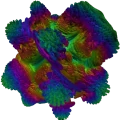
Volume Shader BM GPU Benchmark Test
The Volume Shader BM test measures your device's GPU performance by rendering complex 3D visualizations in real-time. Click Start Test when you're ready, then watch the live FPS counter while the benchmark runs.
- How smoothly your device renders 3D graphics (measured in FPS i.e. frames per second). Higher FPS means better performance and smoother visuals.
- Whether your device experiences any lag or stuttering during graphics processing. Consistent performance without drops is ideal.
- How stable your device's performance is under heavy graphics load. The test pushes your GPU to see how it handles sustained stress.
- The quality and complexity of 3D visualizations your device can handle. More complex rendering indicates better GPU capabilities.
- Overall GPU performance and capabilities. This gives you a comprehensive view of your device's graphics processing power.
- Real-time performance metrics and statistics. All data updates live as the test runs, giving you instant feedback.
- Frame time consistency. The test measures how consistently your device renders frames, which affects visual smoothness.
- Memory and bandwidth usage. The test evaluates how efficiently your device uses GPU memory and processing resources.
Understanding Your Results
As the test runs, you'll see performance metrics displayed on your screen. Understanding these metrics helps you interpret your device's capabilities. Here's what to look for and what the numbers mean:
- FPS (Frames Per Second): Shown at the top of the test while it runs. 60+ FPS is excellent, 30–60 is good, 15–30 is moderate, below 15 indicates limited GPU performance.
- Complexity Levels: Choose Simple, Standard, Advanced, or Extreme below the test. Standard matches the classic Volume Shader BM benchmark.
- Fullscreen: Use the fullscreen icon in the top-right of the test to record on TikTok, Instagram, or sharing with friends. Tap it again or press Escape to exit.
- Share Results: Use the share icon in the site header to post this page. On supported phones and browsers it opens the system share sheet.
How to Interact with the Test
- Start / Stop: Click Start Test on the canvas, then the stop icon in the top-right when finished. Press P to stop from the keyboard.
- Complexity: Pick Simple, Standard, Advanced, or Extreme using the buttons below the test.
- Fullscreen: Tap the fullscreen icon in the top-right of the test. Tap it again or press Escape to exit.
- Desktop: Left-click drag to rotate, scroll to zoom, right-click drag to pan. Press Space to reset the view.
- Mobile: One finger to rotate, pinch to zoom, two fingers to pan.
- Share: The share icon is in the header. On supported devices it opens the native share sheet; otherwise a list of networks appears.