Why people search volume shader github
Many people type volume shader github because they saw a video, a screenshot, or a shared link that looked like source code. Others find GitHub GPU test pages and assume the benchmark only lives in a repository. That habit makes sense for open source tools. It does not match how Volume Shader BM on the web works for everyday users.
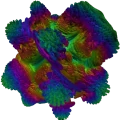
The official product is the website plus optional Android and iOS apps. You open the home page, tap Run, and the WebGL scene starts in the browser. You do not need to clone a repo, install Node, or build anything.
Official site vs copies and demos
Search can mix the real site with forks, mirrors, and unrelated demos. A random GitHub page might show similar visuals or reuse names from comments and videos. Treat those as third-party pages unless they clearly send you to the official home page.
Bookmark the real product. When a friend sends a GitHub GPU test link, open it carefully. Prefer the live site when you want a real score and the current runner. Looks can match while the code, hosting, and updates do not.
- Official home: the Volume Shader BM site
- Live runner: the Start page on that site
- Optional apps: Android and iOS listings linked from the site
- GitHub search hits: verify before you treat them as the product
What cznull means in search
Queries like cznull, cznull github, and cznull github gpu test show up next to this product. Those results often point at GitHub users or pages tied to older demos and shared experiments. They are not the same as opening the official site.
If your goal is a browser GPU check with live FPS, you do not need a cznull clone. Use the official runner on this domain. For short answers on the same topic, see the common questions about GitHub and safety.
Why bookmarks and random repos confuse people
Social clips move fast. Creators paste whatever URL they used that day. Comment threads repeat github test gpu links. Over time, search engines surface those phrases even when most users only want to run the scene once.
A safe rule helps. If you want live FPS, optional anonymous sharing, leaderboards, and the apps, start from the official home page. Treat unknown repos as reading material, not as the required install path.
How to tell you are on the real product
Check the domain in the address bar. The live site is volumeshaderbm.com. The runner lives under that host. Store apps link out from the official Android and iOS pages on the same site.
Be careful with lookalike domains, mirrored pages, and random GitHub Pages hosts. If something asks you to download an unknown installer for a browser demo, stop and return to the official site.
Where to run the real test
Open the home page on this device. Use Run Test from there or from the navigation. On the runner page, press Start. Watch FPS while the volume scene renders. That is the full path for most people. No GitHub account. No clone step.
If you mainly wanted a generic how-to, read how to run a GPU test online in your browser for the install-free flow in more depth.
What about developers who want source
Some searchers are developers who want to study shaders, not run a consumer benchmark. That is a different job. Volume Shader BM’s public product path is the live website and the store apps. Do not assume every similar-looking repo is maintained by the same team or ships the same runner.
If a repo does not clearly point back to volumeshaderbm.com, treat it as unrelated material until you verify. For running and comparing devices, the browser test is still the right first step.
Skip the repo hunt
Ready now? Start the official Volume Shader BM test and see your GPU performance in the browser without cloning anything.